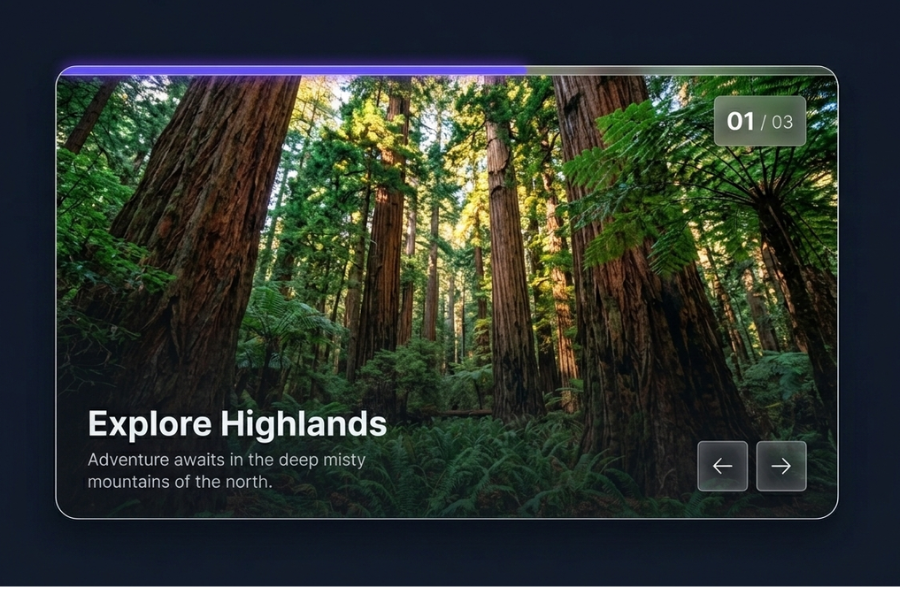
Welcome to TechTimesGlobal.Some of the interactive elements of the UI in the modern web development ensure that sites appear more professional and interesting. This project demonstrates the idea of how to make a special kind of image slider in the form of glasses with the help of HTML, CSS, and JavaScript. The slider works automatically to display images, shows fluid animations and has navigation controls that are more interactive to the users. It is an excellent undertaking to a learner who wishes to comprehend how real website sliders are to be used without incorporating any other external libraries.
HTML – Constructing the Slider’s Content Framework
The structure of the whole image slider is constructed using HTML. All the elements include the progress bar, slide counter, images, textual content and navigation buttons which are contained in a main wrapper container. The background image is situated on each slide as well as a heading and description which appear over it. The structure of the HTML layout is well structured such that all parts of the slider are simple to control and update. This methodological practice serves as the baseline of the whole project.
CSS – Adding Style, Effects, and Smooth Animations
CSS has been used to make the slider look modern and high-end. A dark background theme is applied as it creates a more cinematic feel, and the effect of glassmorphism is added to the navigation buttons and the elements of the UI that are made transparent and blurred. Slide movements are natural and professional, as they are provided with smooth transitions. The effect occurs when the slide is activated, the picture itself is slightly zoomed in which forms a dynamic effect. The text material is also faded out and pushes upwards in a gradual manner enhancing the overall user experience and rendering the design feel more interactive.
JavaScript – Adding Movement, Control, and Dynamic Effects
JavaScript puts the slider to life and offers it some interactivity. It determines the slide that is currently in view and slider moves horizontally with the change of the slide. The counter of the slides is automatically adjusted by the script, and the active animation effects are also controlled by the script. The progress bar is power controlled by a timer system, which fills up and automatically changes to the next slide. Previous and next buttons also allow users to move around through slides manually. This logic illustrates the way in which JavaScript processes manipulation and time-based animations to the real-life web applications.
Overall Overview
The project of ELITE STORE shows the collaboration of HTML, CSS, and JavaScript to develop a single-page e-commerce interface in a professional design. The project consists of responsive design, dynamic product rendering, cart management, and persistent storage which makes it a powerful frontend project of portfolio level.
It also demonstrates such practical ideas as the UI creation, data manipulation, and real-time updating, which are important in the modern web development process.
Source Codes[Scroll Down]
From here, you can download the source code files for this Bakery Website Hero Section by clicking the download button provided below.
The source code is completely free and can be reused or modified for your own projects.
Click here -ELITE STORE – A Modern E-Commerce Website Built with HTML, CSS and JavaScript